
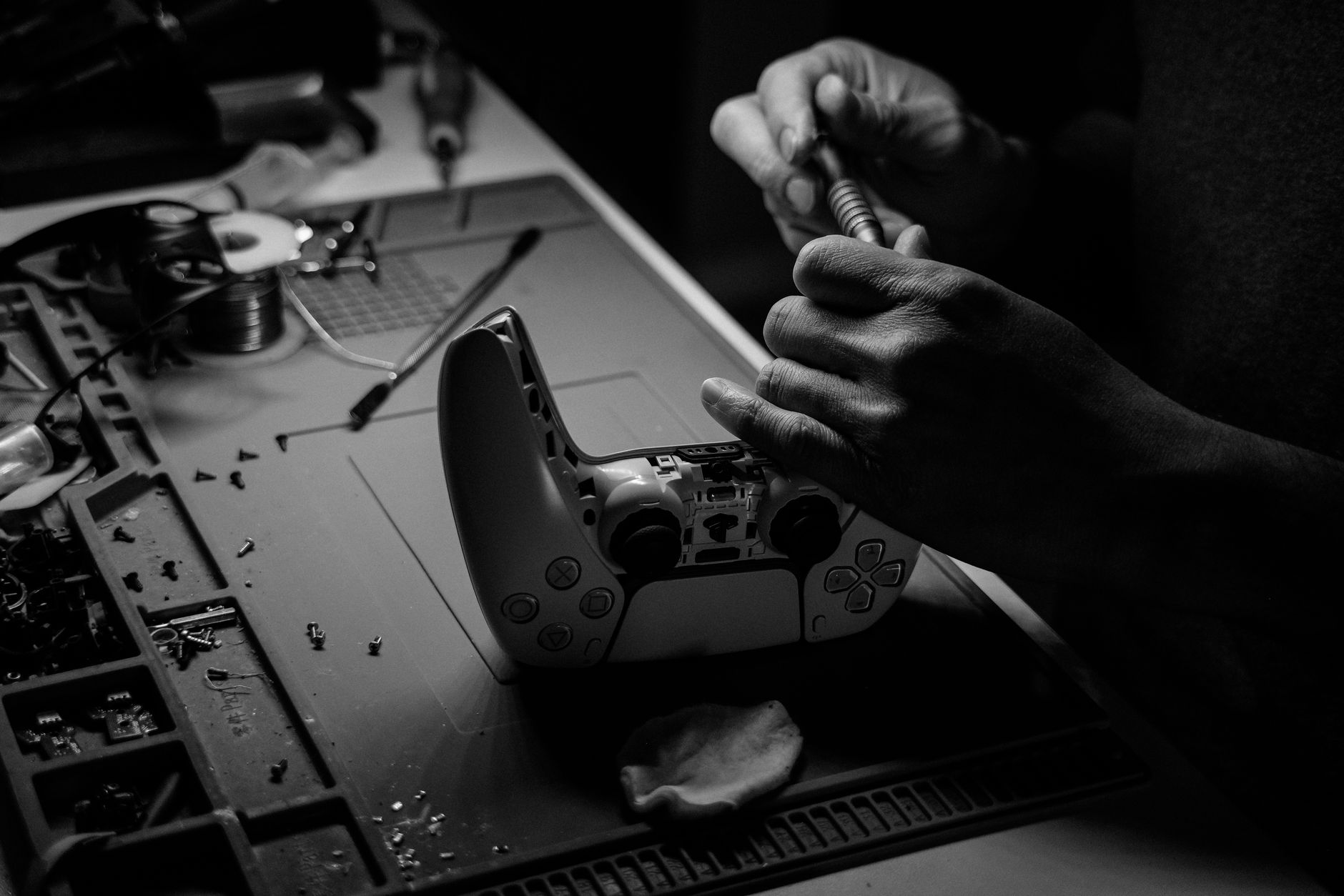
PS5 controller drift has become one of the most frustrating hardware problems facing DualSense owners. The symptom is straightforward: your character moves on screen without you touching the analogue stick. In competitive games, it's game-ending. In exploration titles, it's maddening. And it tends to get worse, not better, over time.
The DualSense is a genuinely impressive piece of hardware, with haptic feedback and adaptive triggers that set it apart from previous PlayStation controllers. But the analogue stick mechanism underneath all of that sits on the same potentiometer-based design that's caused drift problems across almost every major console for the past decade. The PlayStation 5 isn't alone here, but the issue is widespread enough that it deserves a proper explanation.
What actually causes analogue stick drift
The sticks in a DualSense use Hall effect sensors on some revisions, but most units shipping through 2024 and into 2025 used potentiometer-style resistive contacts. Potentiometers work by reading electrical resistance as the stick moves across a carbon track. The problem is carbon wear. Every movement scrapes a tiny amount of material from that track. Over thousands of hours of play, the track develops flat spots or uneven resistance readings. The controller's firmware interprets those inconsistent readings as stick movement.
Dust and debris compound the problem. Fine particles settle inside the stick housing and sit on the carbon track, creating false resistance readings that the firmware can't distinguish from genuine input. In Australian conditions, heat accelerates the degradation. A controller left on a carpet or inside a warm TV cabinet wears out faster than one stored in a cool, ventilated spot.
There's a second cause that gets less attention: the deadzone. Every controller ships with a small deadzone programmed around the stick's resting position, a buffer zone where movement isn't registered as input. As the stick wears, the natural resting position drifts outside that deadzone. The fix Sony applied in some later firmware updates was to widen the deadzone, which masks the problem at the cost of responsiveness.
How to tell if you actually have drift
Before dismantling anything, confirm the problem. Go to the PS5 settings menu, then Accessories, then Controllers, then Test Input Devices. You'll see a live readout of stick position. If the indicator moves without you touching the stick, drift is confirmed. If the indicator stays centred but your game still shows movement, the problem may be game-specific input settings rather than hardware.
Also check whether the drift is consistent or intermittent. Consistent drift points to physical wear on the potentiometer track. Intermittent drift, especially when the controller is warm, often points to a loose contact or a soldered joint that expands and contracts with temperature. Those are two different repair paths.
Fixes you can try before opening the controller
Three things are worth trying before any disassembly. First, compressed air. Hold the can upright and blow short bursts around the base of the analogue stick while rotating it through its full range of motion. This dislodges debris without introducing moisture. Do it outside or over a bin; the amount of dust that comes out of a year-old controller is genuinely alarming.
Second, contact cleaner. Products like WD-40 Specialist Contact Cleaner or DeoxIT D5 can be applied sparingly around the base of the stick. Rotate the stick while the cleaner evaporates. This dissolves oxidation on the resistive track and often resolves intermittent drift caused by contamination rather than wear. Don't use standard WD-40; the lubricant residue makes things worse.
Third, deadzone adjustment inside individual games. Some titles let you set a custom deadzone in their control options. This doesn't fix drift, but it can make a drifting controller usable while you wait for parts or a replacement.
The stick module replacement: what it involves
If cleaning doesn't resolve the problem, the next step is replacing the analogue stick module itself. This is a real repair, not a five-minute job, but it's within reach for anyone comfortable with small electronics.
You'll need a T8 Torx screwdriver, a Phillips PH0 driver, a spudger or plastic pry tool, and a replacement stick module. The Alps RKJXV series is the most commonly cited compatible replacement for DualSense units. Replacement modules cost between $8 and $15 from electronics suppliers. iFixit stocks them with Australian shipping, and their DualSense repair guide is the most reliable step-by-step reference available.
The disassembly sequence matters. The rear shell comes off first after removing six screws. The battery disconnects next. Then the front shell separates. The stick module itself is soldered to the board, so you'll need a soldering iron, solder wick, and flux. It's the step that puts most people off. If you're not confident with soldering, a local electronics repair shop can do the whole job for between $60 and $100 in most Australian cities.
Hall effect replacement sticks are a more permanent solution. These use magnets rather than resistive contacts, so there's no carbon track to wear down. GuliKit produces a Hall effect module compatible with the DualSense that eliminates the wear mechanism entirely. It costs more (roughly $25 to $35) but should outlast the original part by a significant margin.
Sony's warranty position and your consumer rights
Sony's DualSense warranty in Australia is 12 months. If your controller develops drift within that window, contact PlayStation Support. Sony has, in some cases, replaced controllers outside warranty following pressure from consumer advocacy groups, but this isn't a guaranteed outcome. If Sony declines, Australian Consumer Law may still apply.
Under the ACCC's consumer guarantee framework, products must be of acceptable quality and durable for a reasonable time. A controller developing drift after 14 months of normal use could reasonably be argued to fail that standard. The relevant claim goes to the retailer, not Sony directly, and doesn't require you to accept a repair rather than a replacement if the fault recurs.
If your DualSense is out of warranty and you'd rather not repair it yourself, the PS5's Bluetooth pairing also supports third-party controllers. Some players who've dealt with repeated drift issues on controllers have moved to alternatives like the DualSense Edge, which features swappable stick modules by design, making future repairs far simpler. The Edge costs considerably more upfront, but stick modules are hot-swappable without any tools or soldering.
Preventing drift from developing in the first place
Storage matters more than most players realise. Keep controllers in a cool, dust-low environment when not in use. Don't leave them on carpet, which acts as a fine-particle reservoir. If you play for long sessions, give the controller a compressed-air pass every few months.
Stick with moderate force during high-intensity inputs. Controllers worn out by fighting game players who press into the gate hard during every directional input degrade significantly faster than those used for slow-paced games. It's not about playing style so much as consistent mechanical pressure against the stick housing.
If you're pairing a PS5 with a long-term storage setup or doing system maintenance, our coverage of PS5 storage upgrades covers the rest of the physical maintenance picture, and it's worth reading alongside any hardware-related work on the console itself.
Controller drift is annoying, but it's a solvable problem. The repair path is well-documented, the parts are cheap, and Australian consumer law provides a genuine backstop if the fault appears early. The only real mistake is ignoring it until the wear progresses to the point where cleaning won't help.