
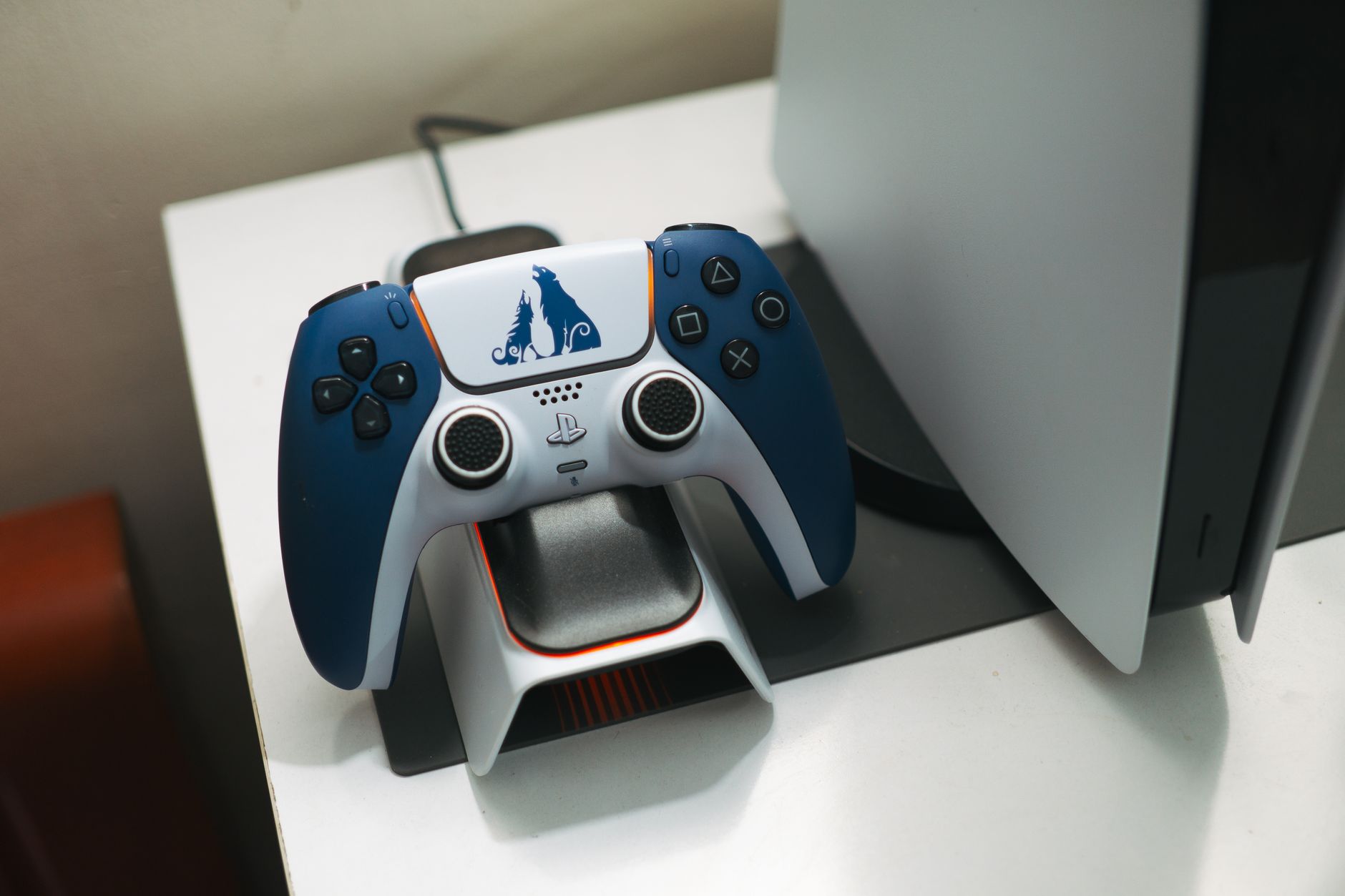
The PS5 DualSense controller uses a USB-C port, which sounds simple until you plug in a random cable from your desk drawer and realise the controller isn't charging. DualSense charging is one of those topics that feels obvious until it quietly goes wrong, and Sony's documentation doesn't exactly make it easy to troubleshoot. This guide covers what actually works, what to avoid, and why the common complaints about slow or failed charging usually trace back to a handful of fixable causes.
What the DualSense actually needs to charge
The DualSense draws power over USB-C, but it doesn't negotiate the full USB Power Delivery spec the way a laptop or phone might. Sony rates the controller at 5V/1.5A from the included cable, which gives you 7.5W of charging power. That's enough to bring a flat DualSense to a usable charge in about an hour and a half, and a full charge takes roughly three hours from empty.
The console's own USB-A ports (the one on the front and the two on the back) can push different amounts of current depending on whether the PS5 is on, in rest mode, or fully powered off. The front USB-A port provides USB 3.0 speeds but standard 5V/0.9A charging, so it's slightly slower than the rear port, which outputs closer to 5V/1.5A. It's a small difference in practice, but if you've ever noticed the controller charges faster plugged into the back, that's why.
USB-C cables: not all of them are equal
This is where most confusion starts. The DualSense ships with a USB-C to USB-A cable. It works. The problem is that USB-C cables vary enormously in quality and rated current, and a cheap cable rated for 0.5A charging will slow the whole process down even if the power source is perfectly capable.
For reliable DualSense charging, look for cables rated to carry at least 3A at 5V. USB-IF certified cables include this on the packaging. Cables from reputable brands like Anker, Belkin, or Ugreen generally carry accurate ratings. The very short cables often bundled with accessories or sold for cheap on marketplaces frequently aren't rated for sustained 1.5A draws, which leads to warm cables, slower charging, and occasionally false "charging" indicators that stop after a few minutes.
It's worth pointing out that the DualSense does not benefit from fast-charging protocols like Qualcomm Quick Charge or USB PD at higher voltages. Plugging it into a 65W USB-C charger won't hurt it, but it also won't charge faster than the 7.5W the controller caps out at. The controller's internal circuitry limits the intake regardless of what the charger offers.
Charging docks: what to look for
Sony sells a first-party DualSense Charging Station that holds two controllers simultaneously via proprietary contact points on the base of the grips. It doesn't use the USB-C port at all. That's worth knowing if you're particular about cable wear, since the USB-C port gets no use during dock charging.
The first-party dock outputs 5V/1.5A per controller, so charge times are essentially the same as using the included cable. Third-party docks vary considerably. Some cheaper options charge at 5V/0.5A, extending full charge times to five hours or more. Check the output spec before buying. A dock that doesn't list its output voltage and amperage in the specs is a flag.
If you're considering the PS5 DualSense Edge, note that the Edge ships with its own USB-C cable rather than a dock, and Sony sells a separate charging stand specifically designed for it. The standard DualSense Charging Station is not compatible with the Edge.
Common charging problems and what causes them
The DualSense not charging is one of the most searched PS5 issues in Australia. The causes break down neatly into a short list.
- Faulty or underpowered cable. Swap to a known-good USB-C cable first. This fixes the majority of cases.
- USB port not providing power in rest mode. The PS5's rest mode USB charging has to be explicitly enabled. Go to Settings, then System, then Power Saving, then Features Available in Rest Mode, and toggle on "Supply Power to USB Ports".
- Controller firmware needing an update. Connect the controller via USB-C, turn on the console, and check for system software updates. Controller firmware updates can resolve charging logic bugs.
- Port damage on the controller. The USB-C port on the DualSense is a known wear point, particularly if cables have been inserted at an angle repeatedly. If the port feels loose or the cable doesn't seat firmly, this is a hardware issue that warrants a warranty claim or repair.
Sony's Australian warranty on the DualSense covers manufacturing defects for one year from purchase. If port failure occurs within that window and isn't clearly physical damage from misuse, Sony Australia has generally honoured replacements through its PlayStation support channels.
Charging via PC or USB hub
Plugging a DualSense into a PC's USB-A or USB-C port for charging works, but output varies by port. Most USB-A 3.0 ports on a laptop push 0.9A at 5V, which is slower than the PS5's rear USB ports. Some business laptops with USB-C ports can push higher current if the port supports USB PD, but again, the controller caps its intake at 7.5W regardless.
Unpowered USB hubs are generally a poor choice for DualSense charging. They spread available current across all connected devices, which means a hub with two other devices attached may not be able to sustain 1.5A to the controller. Powered hubs with their own AC adapter don't have this problem, provided the hub's per-port output is specified clearly. Understanding the nuances of USB-C Power Delivery standards is helpful here, since the same underlying spec governs how much current a port can commit to a single device.
Battery health over time
The DualSense uses a lithium-ion battery rated at 1560mAh. Like all lithium-ion cells, it degrades with charge cycles. Sony hasn't published an official cycle count target, but the controller battery is not user-replaceable without opening the housing, which voids the warranty.
A few practical habits slow the degradation. Don't leave the controller on a powered dock indefinitely after it hits 100 per cent. Don't drain it to zero repeatedly if you can avoid it. Storing the controller at around 50 per cent charge is better for long-term cell health than storing it at either extreme.
If a DualSense battery that used to last four or five hours now runs out in under two, the cell has likely degraded past the point where charging habits will make a difference. Sony offers a battery replacement service through its repair program, and third-party repair shops in most Australian capital cities carry compatible cells for around $40 to $60 for the part alone.
The rest mode question
Charging the DualSense through the console in rest mode is convenient but draws a small amount of standby power continuously. For most players this isn't a concern. If your electricity bill is a priority, charging during active play sessions or from a powered dock connected to a switched outlet is a reasonable alternative. PS5 rest mode problems sometimes extend beyond charging, and it's worth knowing that prolonged rest-mode use has historically produced issues on some units that a full power cycle can resolve.
The short version: buy a decent cable, enable rest mode USB power if you use it, and check the output spec on any third-party dock before assuming it matches the first-party hardware. Most DualSense charging problems are cable problems in disguise.